Event Integration
Event Integration lets a display connection change or system sleep/wake request an action of your choice. Each event hook has one saved action, such as a script, URL or notification, independent of ordinary brightness and volume controls. Choose the hooks that match when you need the action to run; different hooks describe different stages of connection and wake handling.
Where to find it: Settings > Displays > [display] > Device Control > Control Integration > Configure Events…. Add Control Integration first through Add or Remove Controllers…. The configuration button requires the associated display to be connected.
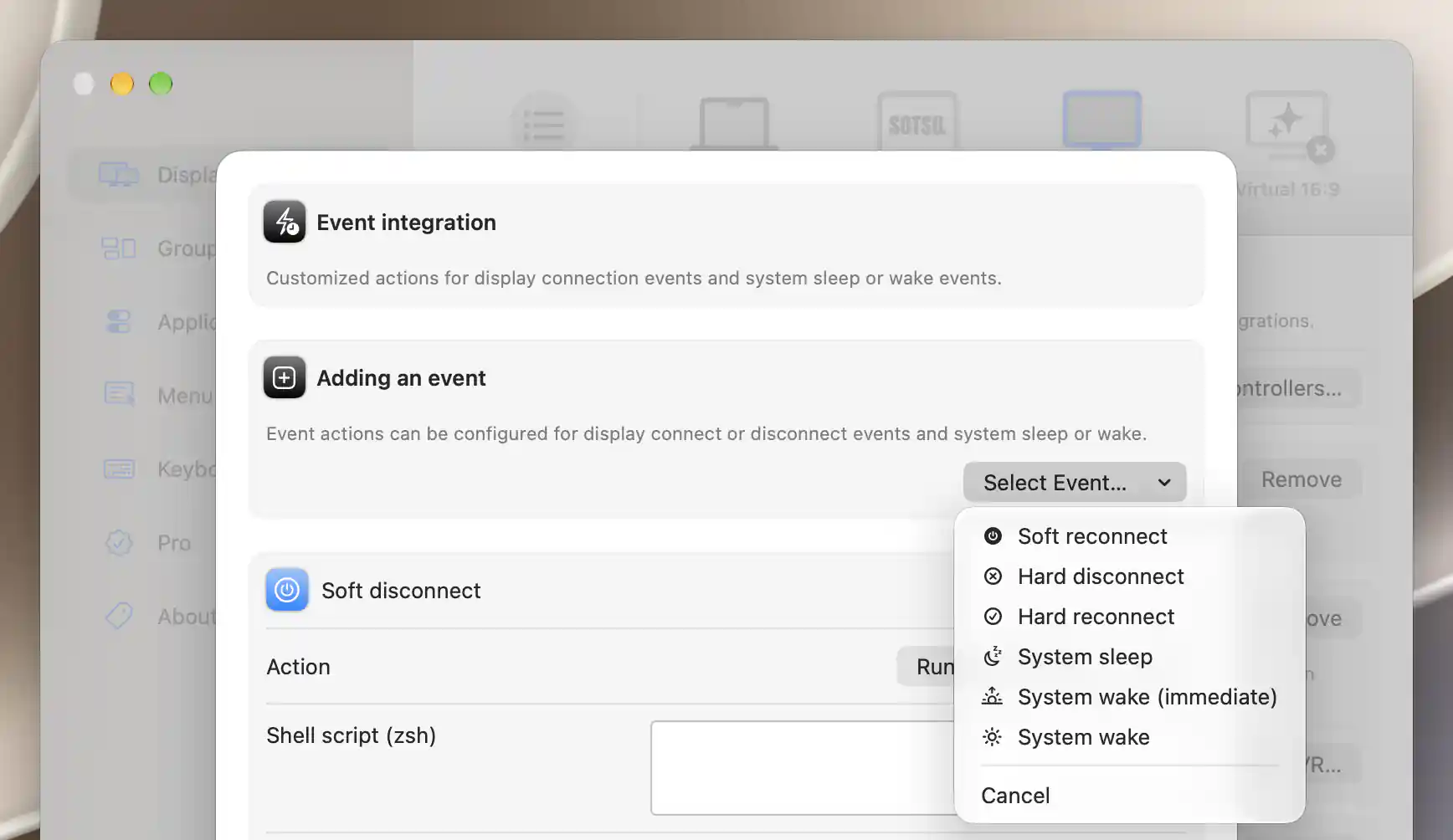
The event chooser lists hooks that have not yet been added.
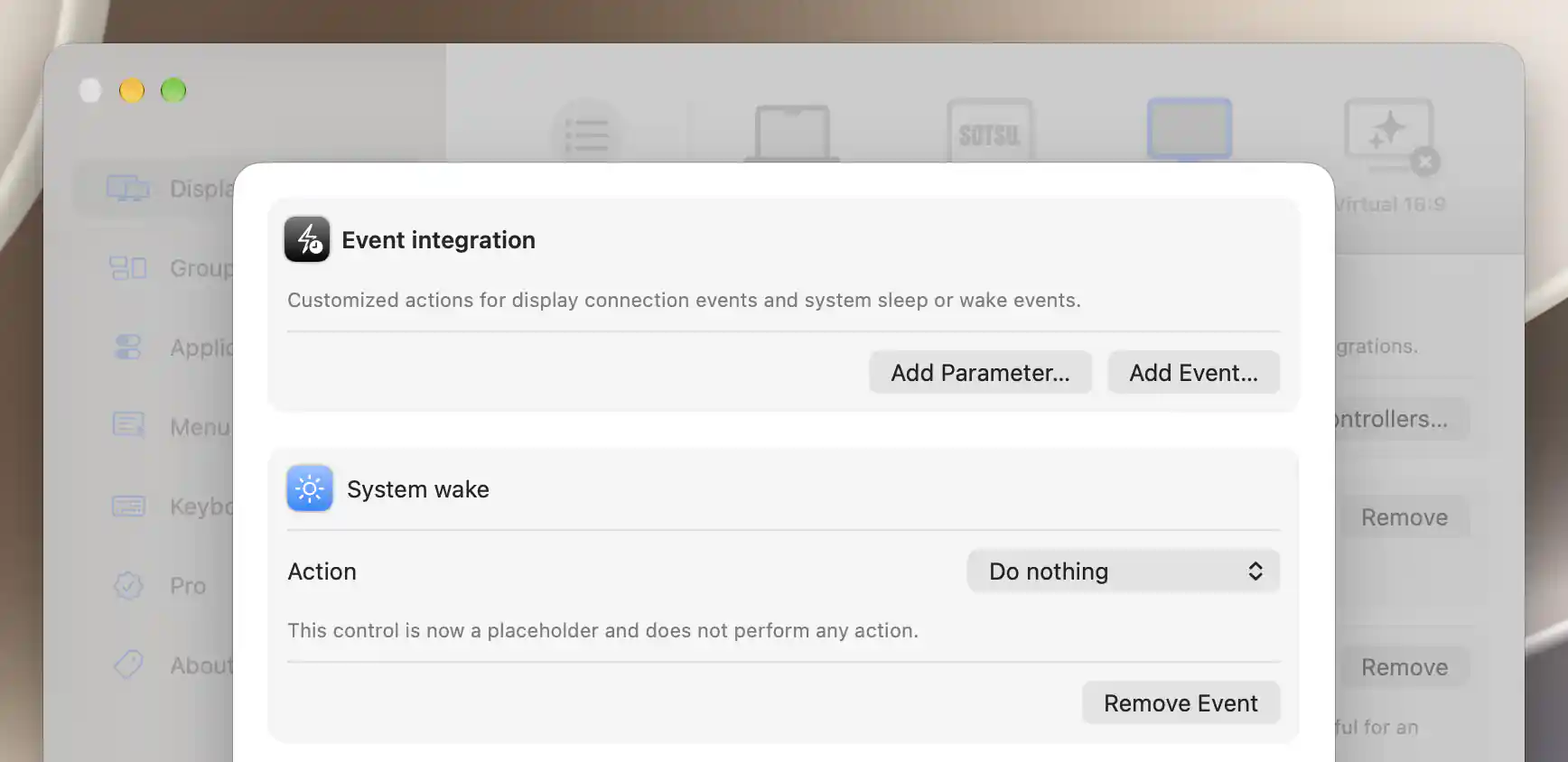
New events begin with Do nothing until you choose an action.
Add and remove events
Open Add Event… > Select Event… and choose when the action should be requested. Only hooks you have not already added appear. A new card starts at Do nothing and appears first in the editor; Cancel closes the chooser.
To pause a saved action without losing it, set Action to Do nothing. Remove Event instead deletes that hook's action immediately, without confirmation.
Settings persist for this display's integration controller. Removing the entire Control Integration controller disables its hooks but retains saved definitions. Re-adding the controller can make those actions active again.
When each hook runs
Choose a hook by the transition you need to respond to, rather than treating every connection event as the same moment. “Soft” hooks follow app-requested operations; “hard” hooks follow detected display-state changes. The sleep/wake hooks belong to the app's system power handling.
| Event | Trigger and timing |
|---|---|
| Soft disconnect | The app's disconnect operation invokes the hook after its disconnect attempt. It does not by itself prove that macOS or the display completed disconnection. |
| Soft reconnect | The app invokes the hook before attempting to reconnect the display, after early connection-safety checks. A configured active hook keeps the integration controller registered while the display is app-disconnected so it can receive this event. |
| Hard disconnect | The display leaves active duty and becomes a remembered display. This is a detection/state transition, not proof that a cable was physically pulled. Some retained Sidecar states bypass remembered-display classification. |
| Hard reconnect | A remembered display is rediscovered, marked connected and has its controllers set up. The event follows that transition; it is not every display configuration refresh. |
| System sleep | The app receives system sleep and calls the currently connected displays' external controllers. |
| System wake (immediate) | The first wake pass, before the configured wake delay, for displays then marked connected. |
| System wake | The second pass after the configured app wake delay, if the Mac has not gone back to sleep. Connected-display controllers are evaluated again for this pass. |
System wake (immediate) is useful for requesting work before the delayed phase, but displays and network services may still be recovering. System wake follows the configured delay yet still precedes later display-configuration work. Actions are dispatched asynchronously, so neither hook promises that an earlier script or request has finished.
These hooks run alongside other controller power automation. For example, a network controller may send its own wake command while this integration submits a URL. The event editor does not disable those other actions or impose an execution-completion order between controllers. Device-specific recheck/detection switches belong to those controllers; they do not redefine this event list.
Parameters and payloads
Use parameters when several event actions need the same text. Add Parameter…, Identifier, Content and the trash button edit the shared display-level list also used by Control Integration. A case-sensitive [*:Identifier:*] reference inserts the matching content.
Use distinct, nonempty identifiers and keep the reserved VALUE name out of that list. Empty or duplicate identifiers show Missing or duplicated identifier present - this will yield unexpected results!, but the warning does not block execution.
Built-in tokens let the same action include information about the event and display:
| Token | Content |
|---|---|
[*:EVENT_HOOK:*] |
The stable hook name: softDisconnect, softReconnect, hardDisconnect, hardReconnect, systemSleep, systemWakeImmediate or systemWake. |
[*:DEVICE_NAME:*] |
The device's displayed name. |
[*:DEVICE_DESCRIPTION:*] |
The app's descriptive device string. |
[*:DISPLAY_ID:*] |
The current display identifier, or empty if no display is available. |
Built-in event tokens are replaced before the shared parameters. Expansion is literal: it does not shell-quote or URL-encode inserted content. The device description or name can contain spaces or other punctuation, so account for the receiving action's syntax. The current display ID is a runtime identifier rather than a permanent device identity. Notification name is literal and is not expanded. Event actions have no ranged-control VALUE substitution.
Action fields and limits
Leave Action at Do nothing while you prepare a hook, then choose how it should contact the receiving tool or device. The active choices are Run shell script, Invoke URL, and Notification dispatch:
- Run shell script reveals Shell script (zsh). Despite the editor label, the current execution path invokes Bash. The action is run as a real local process; its output is not a separate result panel in this sheet.
- Invoke URL reveals URL. HTTP/HTTPS uses GET; a different URL scheme opens the registered macOS handler. The event editor does not expose HTTP headers, method or request body.
- Notification dispatch reveals Notification name and Notification payload. This posts a distributed notification to cooperating software, with the payload as its object string, rather than a user-facing banner.
A blank payload skips dispatch; a notification also needs a nonempty name. Event actions do not return values to display controls and do not offer periodic readback or value-format fields. Use Control Integration when a slider or toggle needs a returned value.
Waiting and duplicate messages
Timeout is offered for scripts and URLs and defaults to 10 seconds. It does not guarantee process termination or undo an action's effects.
Redundancy filter time interval appears whenever Action is not Do nothing. It defaults to 1 second; 0 disables it. The controller compares the latest sent payload and notification name for each action type across both controls and events. If two different events expand to identical content, one can suppress the other within the interval.
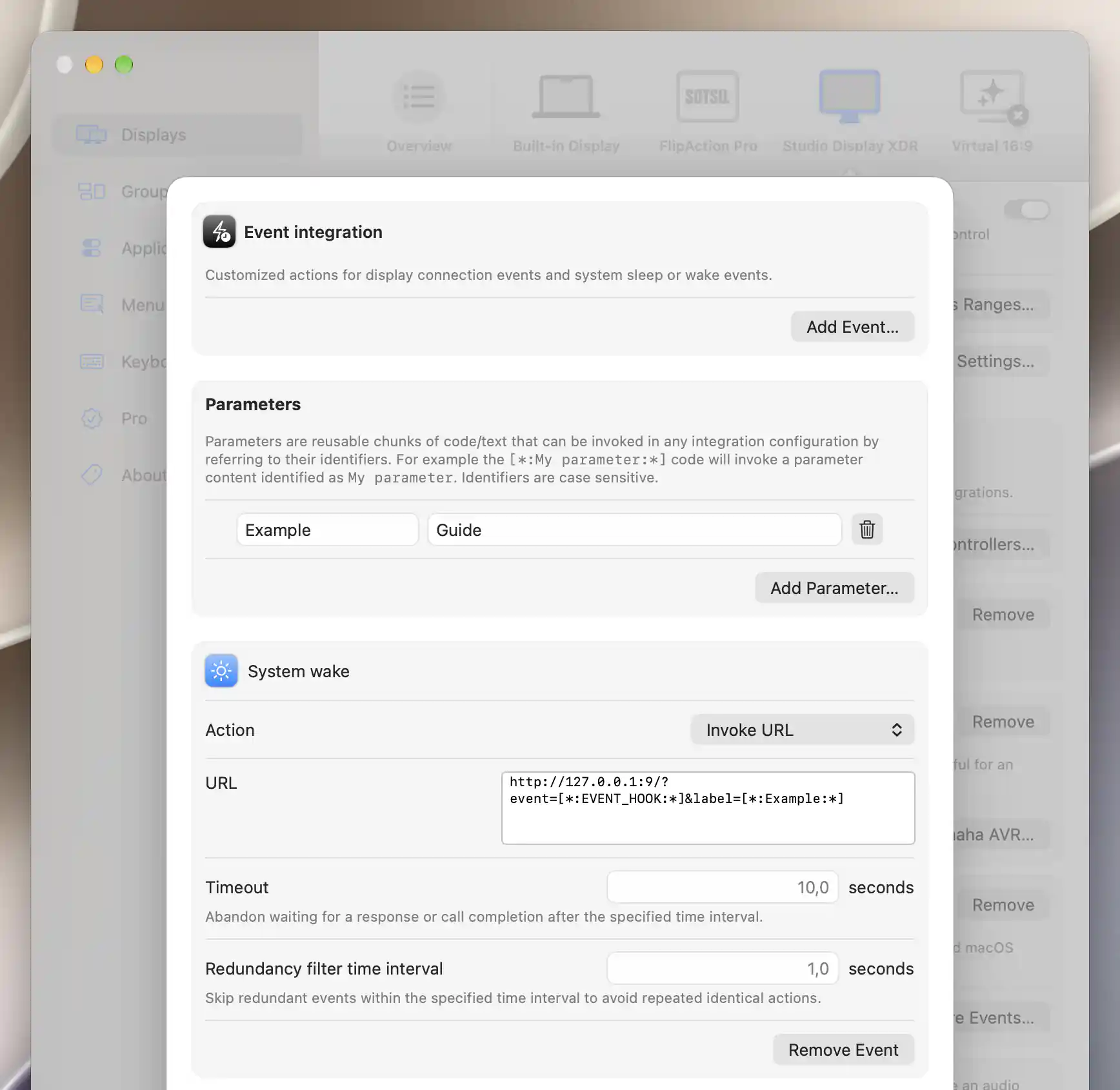
An event URL can combine reusable parameters with the event hook token.
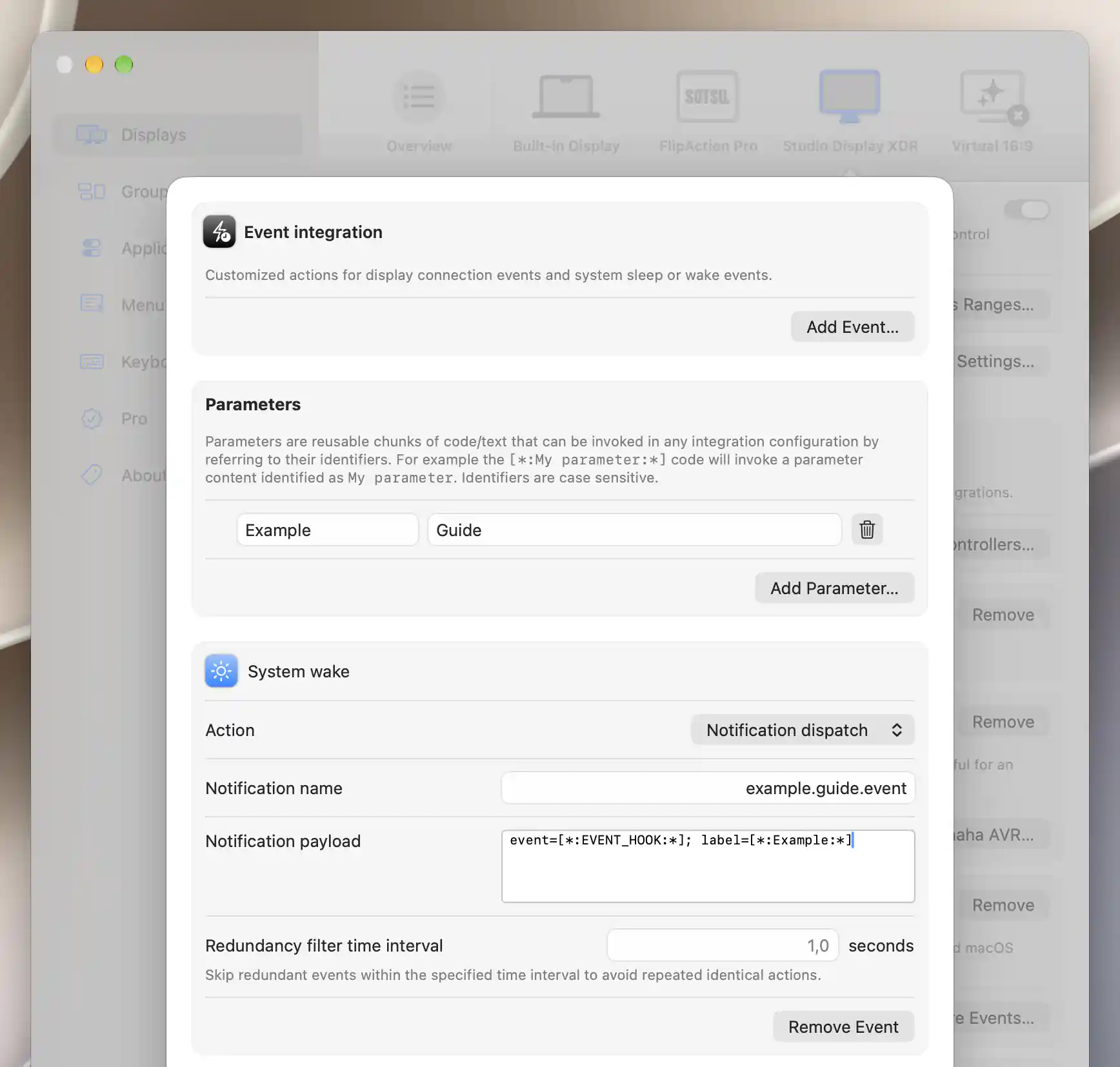
Notification names are literal; their payloads can include event tokens.
Applying and checking the configuration
Edits save immediately, with no Apply step or dry-run/manual Test action. Keep a hook at Do nothing until you are ready for its definition to run. Exercising a real connect/disconnect or sleep/wake event can trigger both your action and the other controllers' power behavior.
Treat dispatch status as evidence that a request was sent, rather than confirmation that a device completed it. A timeout does not reverse a side effect that already happened.
See Control Integration for script/URL execution, parameter replacement and shared action limits, and Network Controllers for built-in device power automation.
Additional information
This section explains which features require Pro and how availability differs between Mac platforms.
Features requiring Pro license
The event hooks, parameters and actions described here have no separate Pro requirement. Custom display-control definitions in the related Control Integration editor have their own requirements.
Platform compatibility
All features described on this page are available on both Apple silicon and Intel Macs. The configuration sheet requires a connected associated display, and each external action needs its corresponding local software, URL handler or reachable service. Wake timing does not guarantee that a device or network has finished recovering.